Choosing the right A4 copier paper is about more than finding the lowest price. The paper your office uses every day has a direct impact on print quality, printer performance and overall operating costs. Good-quality copier paper helps reduce paper jams, improves print clarity and ensures smooth performance across printers and photocopiers.
Whether you're purchasing copier paper for an office, school, educational institution or photocopy centre, here are a few things worth considering before placing your next order.
1. Choose the Right GSM for Your Requirement
One of the first specifications you'll notice is GSM (Grams per Square Metre), which refers to the weight of the paper.
For most offices:
- 70 GSM is suitable for high-volume everyday printing where cost is a priority.
- 75 GSM offers a good balance between durability, print quality and price.
- 80 GSM is commonly preferred for reports, presentations and important business documents.
If you'd like to understand the differences in detail, we've covered them in our guide on 70 GSM vs 75 GSM vs 80 GSM A4 Paper.
2. Look Beyond GSM
Many buyers compare copier paper only by GSM, but that's only one part of the picture.
The overall quality of copier paper also depends on its opacity, brightness, smoothness, moisture balance and fibre quality. Two papers with the same GSM can perform very differently inside a printer.
If you're buying copier paper in bulk, it's always worth comparing the overall quality instead of relying on a single specification.
3. Check the Brightness
Brightness affects how white the paper appears and how sharp your printed text and images look.
A brighter sheet generally produces better contrast, making documents easier to read and giving reports, presentations and business correspondence a cleaner, more professional appearance.
4. Consider Opacity for Double-Sided Printing
If your office regularly prints on both sides of the paper, opacity becomes an important factor.
Higher opacity reduces the amount of text or images visible through the reverse side of the sheet, making double-sided documents look cleaner and easier to read.
5. Make Sure the Paper Is Compatible with Your Printer
Most quality copier papers are suitable for laser printers, inkjet printers, photocopiers and multifunction printers.
Choosing paper that's designed for your equipment helps reduce paper jams, improves feeding and contributes to better print quality.
6. Buy from a Reliable Paper Brand
Consistency is just as important as specifications.
Well-established paper mills maintain strict quality standards, helping ensure consistent sheet size, smooth feeding and dependable print performance from one ream to the next.
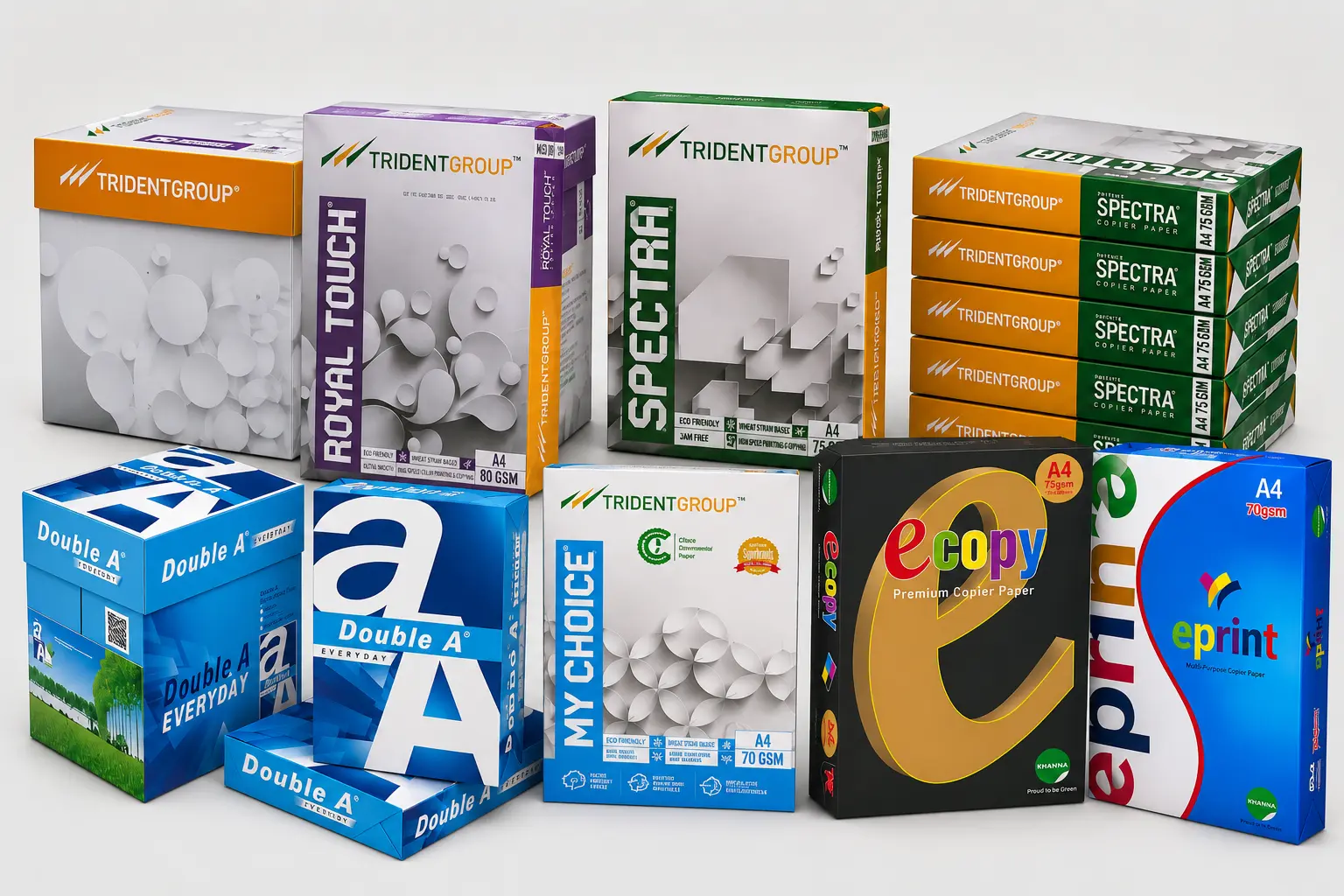
At Karwa Paper, we supply copier paper from trusted brands including Double A, JK Paper Mills, Trident Group, Khanna Paper Mills, Kuantum Paper Mills, Star Paper Mills and Satia Industries.
7. Think About Your Monthly Usage
If your office prints regularly, purchasing copier paper in bulk is often more economical.
Before ordering, consider:
- Monthly paper consumption
- Available storage space
- Future printing requirements
- The type of documents you print most often
Buying the right quantity helps reduce frequent reordering while ensuring your paper is stored properly.
8. Store Copier Paper Properly
Even premium copier paper can perform poorly if it isn't stored correctly.
For the best results:
- Keep unopened reams sealed until they're needed.
- Store paper in a cool, dry place.
- Avoid direct sunlight and excessive humidity.
- Keep cartons on a flat surface to prevent bending.
Proper storage helps maintain paper quality and reduces the chances of paper jams and curling.
Choosing the Right Copier Paper
The best copier paper isn't necessarily the most expensive one, it's the one that's right for your printer, your printing volume and your day-to-day requirements.
Taking a little extra time to compare quality, rather than focusing only on price, can help improve print quality, reduce machine downtime and provide better long-term value for your business.
Frequently Asked Questions
1. What is the best A4 copier paper for office use?
The best A4 copier paper depends on how your office prints documents every day. For most businesses, 75 GSM copier paper offers an excellent balance between print quality, durability and cost. Offices that print large volumes of internal documents may prefer 70 GSM for its cost-effectiveness, while 80 GSM is commonly chosen for reports, presentations and client-facing documents. Rather than choosing paper based only on GSM, consider factors such as brightness, opacity, smoothness and overall paper quality.
2. Which GSM copier paper should I choose for my office printer?
There isn't a single GSM that's right for every office. 70 GSM is suitable for high-volume printing where keeping costs low is important. 75 GSM is the preferred choice for most offices because it offers a good balance between quality and price. 80 GSM is often used for premium documents that need a thicker feel and better opacity. If you're unsure, we've explained the differences in detail in our 70 GSM vs 75 GSM vs 80 GSM A4 Paper Guide.
3. Does higher GSM mean better quality copier paper?
No. GSM only tells you the weight of the paper. It doesn't measure overall quality. Two papers with the same GSM can perform very differently depending on their opacity, brightness, smoothness, fibre quality and manufacturing consistency. A good-quality 75 GSM paper may perform better than a poor-quality 80 GSM paper in everyday office printing.
4. What causes paper jams in printers and photocopiers?
Paper jams can occur because of poor-quality paper, excessive moisture, damaged sheets, incorrect paper storage or unsuitable printer settings. Using good-quality copier paper from a reputable manufacturer and storing it correctly can significantly reduce paper jams and improve printer performance.
5. Which copier paper is best for double-sided printing?
For double-sided printing, look for copier paper with good opacity. Higher opacity helps reduce show-through, making documents easier to read on both sides. While 80 GSM is commonly preferred for duplex printing, many premium 75 GSM papers also provide excellent results depending on the manufacturer.
6. What should I look for when buying copier paper in bulk?
When buying copier paper in bulk, don't compare only the price. Consider the paper's GSM, brightness, opacity, smoothness, brand reputation and compatibility with your printers. It's also important to choose a reliable supplier who can provide consistent quality and regular stock availability.
7. Which copier paper brands are trusted in India?
Some of the most trusted copier paper brands available in India include Double A Paper, JK Paper Limited, Trident Group, Khanna Paper Mills, Kuantum Papers Limited, Star Paper Mills Limited and Satia Industries Limited. These manufacturers are known for producing quality copier paper suitable for offices, educational institutions, government organisations and commercial printing.
8. How should A4 copier paper be stored?
Copier paper should always be stored in a cool, dry place away from excessive humidity and direct sunlight. Keep unopened reams sealed in their original packaging until required. Proper storage helps maintain paper quality, reduces the chances of paper curling and minimises printer jams.
9. Does copier paper quality affect printer performance?
Yes. Poor-quality copier paper may create excessive paper dust, feed inconsistently or contain higher moisture levels, all of which can affect printer performance over time. Good-quality paper helps improve feeding, reduces downtime and produces more consistent print quality.
10. Can copier paper be used in laser printers, inkjet printers and photocopiers?
Most quality A4 copier papers are designed to work with laser printers, inkjet printers, photocopiers and multifunction devices. Always check your printer manufacturer's recommendations, especially if you're using heavier paper or speciality media.
11. Where can I buy A4 copier paper in bulk in Punjab?
If you're looking for bulk A4 copier paper for offices, schools, colleges, institutions, wholesalers or corporate businesses, Seth Faqir Chand Karwa & Co. supplies genuine copier paper from leading manufacturers including Double A Paper, JK Paper Limited, Trident Group, Khanna Paper Mills, Kuantum Papers Limited, Star Paper Mills Limited and Satia Industries Limited. We can help you choose the right paper based on your printing requirements and budget.
12. Why should I buy copier paper from an authorised wholesale supplier?
Buying from an authorised wholesale supplier helps ensure you're receiving genuine products, consistent quality and dependable after-sales support. It also reduces the risk of counterfeit products and gives you access to a wider range of copier paper brands and GSM options, particularly when purchasing in bulk.
A4 Copier Paper
Copier Paper
Office Copier Paper
A4 Paper
Bulk Copier Paper
Copier Paper Supplier
Office Paper
70 GSM Paper
75 GSM Paper
80 GSM Paper
Double A Paper
JK Paper
Trident Paper
Khanna Paper
Kuantum Papers
Star Paper Mills
Satia Industries
Wholesale Copier Paper
Office Stationery
Karwa Paper
Related Articles
Need Bulk Paper?
We supply A4 copier paper at wholesale prices across North India.
Get a Quote WhatsApp UsRecent Articles